
Start with the day already organized.
Prism turns updates, commitments, and open loops into a briefing built around your actual priorities.
'%3e%3cg%20clip-path='url(%23clip1_5280_26945)'%3e%3cpath%20d='M239.907%2050.026C246.417%2056.4077%20246.416%2066.8913%20239.906%2073.2724L166.134%20145.577C160.703%20150.9%20152.011%20150.9%20146.58%20145.576C140.994%20140.1%20140.994%20131.105%20146.579%20125.629L223.686%2050.0269C228.191%2045.61%20235.402%2045.6096%20239.907%2050.026Z'%20fill='white'/%3e%3cpath%20d='M189.063%2047.7175C195.573%2054.0991%20195.573%2064.5828%20189.062%2070.9638L115.291%20143.268C109.859%20148.592%20101.167%20148.591%2095.7362%20143.268C90.1503%20137.792%2090.1498%20128.796%2095.7352%20123.32L172.842%2047.7183C177.347%2043.3014%20184.558%2043.301%20189.063%2047.7175Z'%20fill='white'/%3e%3cpath%20d='M138.282%2044.5866C144.792%2050.9682%20144.791%2061.4519%20138.281%2067.833L64.5093%20140.138C59.078%20145.461%2050.3859%20145.461%2044.955%20140.137C39.369%20134.661%2039.3686%20125.666%2044.954%20120.189L122.061%2044.5874C126.566%2040.1705%20133.777%2040.1702%20138.282%2044.5866Z'%20fill='white'/%3e%3cpath%20d='M310.677%20154.559H285.459V23.4282H312.242V77.689C317.459%2069.8629%20328.938%2064.6455%20341.459%2064.6455C365.807%2064.6455%20381.285%2083.6021%20381.285%20111.95C381.285%20138.906%20364.068%20156.819%20339.372%20156.819C327.198%20156.819%20316.764%20151.428%20312.068%20143.428L310.677%20154.559ZM312.416%20110.559C312.416%20123.602%20321.111%20132.298%20333.633%20132.298C346.329%20132.298%20354.329%20123.428%20354.329%20110.559C354.329%2097.689%20346.329%2088.8195%20333.633%2088.8195C321.111%2088.8195%20312.416%2097.5151%20312.416%20110.559ZM431.833%20156.819C405.572%20156.819%20386.789%20137.689%20386.789%20110.906C386.789%2083.776%20405.05%2064.8195%20431.311%2064.8195C458.615%2064.8195%20475.659%2082.7325%20475.659%20111.08V117.863L412.529%20118.211C414.094%20129.689%20420.529%20135.08%20432.355%20135.08C442.442%20135.08%20449.572%20131.428%20451.485%20125.167H476.007C472.876%20144.472%20455.659%20156.819%20431.833%20156.819ZM431.485%2086.5586C420.876%2086.5586%20414.963%2091.2542%20412.876%20101.689H449.05C449.05%2092.4716%20442.268%2086.5586%20431.485%2086.5586ZM511.713%20156.819C493.279%20156.819%20481.8%20146.037%20481.8%20128.993C481.8%20112.993%20493.105%20103.08%20513.974%20101.515L538.322%2099.6021V98.2108C538.322%2089.689%20533.105%2085.1673%20523.539%2085.1673C512.235%2085.1673%20506.148%2089.5151%20506.148%2097.3412H483.887C483.887%2077.689%20500.061%2064.8195%20524.931%2064.8195C550.148%2064.8195%20564.409%2078.9064%20564.409%20103.776V154.559H540.757L539.018%20143.08C536.235%20151.08%20524.757%20156.819%20511.713%20156.819ZM521.105%20136.993C531.366%20136.993%20538.496%20131.95%20538.496%20122.037V117.341L524.931%20118.559C513.279%20119.602%20509.105%20122.211%20509.105%20127.776C509.105%20134.037%20512.931%20136.993%20521.105%20136.993ZM605.183%20154.559H578.401V67.6021H603.444L605.183%2076.6455C609.531%2070.5586%20618.053%2064.8195%20630.575%2064.8195C643.618%2064.8195%20651.966%2070.9064%20657.01%2080.1238C661.531%2070.9064%20671.792%2064.8195%20684.314%2064.8195C706.749%2064.8195%20717.879%2077.8629%20717.879%2097.689V154.559H691.096V105.167C691.096%2094.2108%20685.357%2088.9934%20676.836%2088.9934C669.183%2088.9934%20661.531%2093.1673%20661.531%20107.95V154.559H634.749V105.167C634.749%2094.3847%20629.183%2089.1673%20620.662%2089.1673C613.009%2089.1673%20605.183%2093.3412%20605.183%20107.95V154.559Z'%20fill='white'/%3e%3c/g%3e%3c/g%3e%3cdefs%3e%3cclipPath%20id='clip0_5280_26945'%3e%3crect%20width='785.391'%20height='192'%20fill='white'/%3e%3c/clipPath%3e%3cclipPath%20id='clip1_5280_26945'%3e%3crect%20width='785.391'%20height='192'%20fill='white'/%3e%3c/clipPath%3e%3c/defs%3e%3c/svg%3e) PRISM
PRISMPrism learns your goals, context, and guardrails—then turns the work around you into clear, accountable progress.
Set up online in minutes. Continue on Mac.

“What sets beam apart is how they understand building AI-Native organizations; not just automation, but re-architecting how work gets done.”


 Fortune 500Already live in production
“We are now available to our customers 24/7, with a reduced response-time and communicate in any language they speak.”

 Millionsof transactions processed
“AI Agents accelerated our transformation agenda. It created transparency, built trust and encouraged adoption.”

A system, not another tab
Prism connects the moving pieces of your work, understands what matters, and helps carry it forward—without taking control away from you.
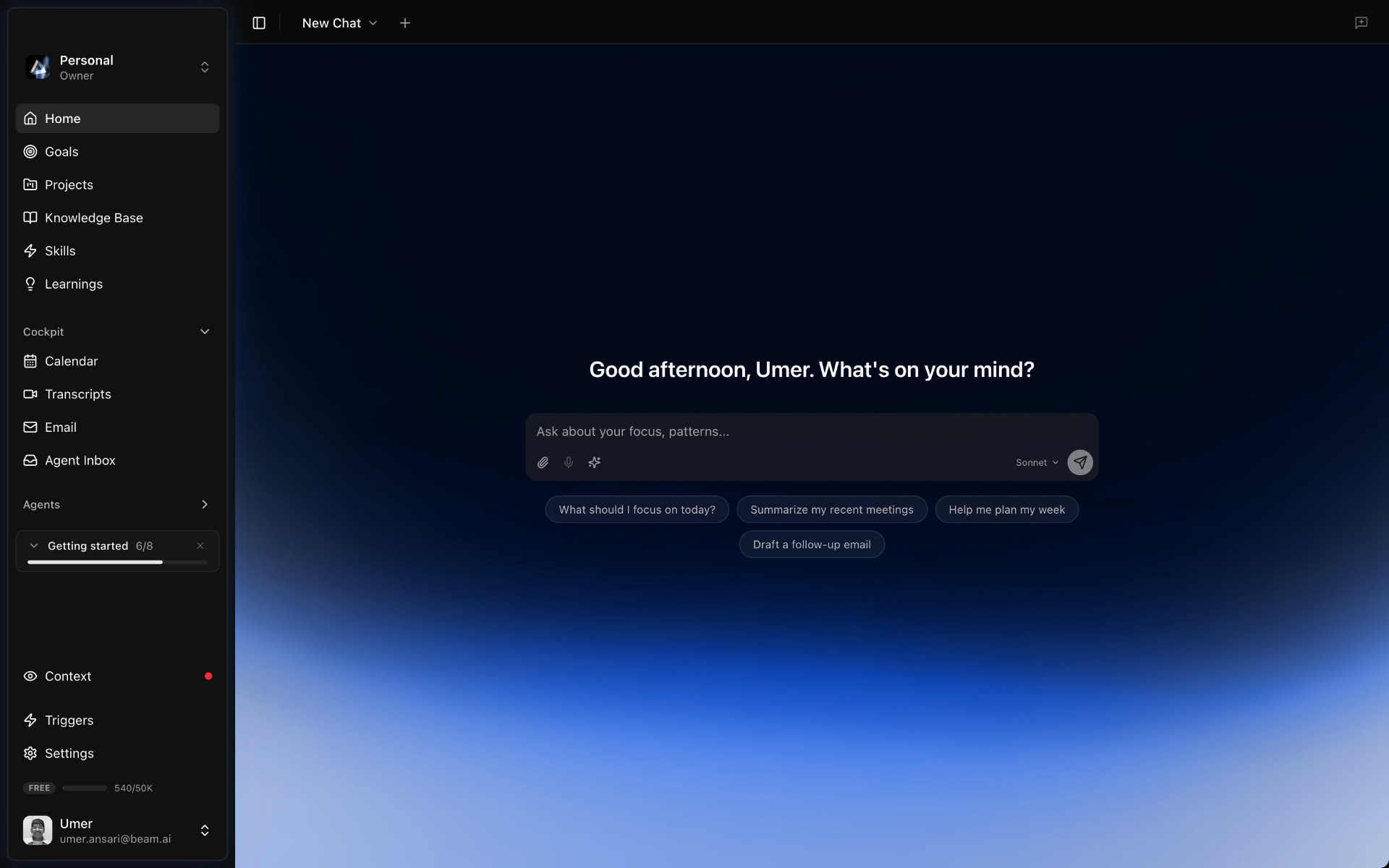
Prism turns updates, commitments, and open loops into a briefing built around your actual priorities.
Give Prism a result. It assembles the right agents, skills, and sources to move it forward.
Email, meetings, goals, and decisions become one working memory—with every connection under your control.
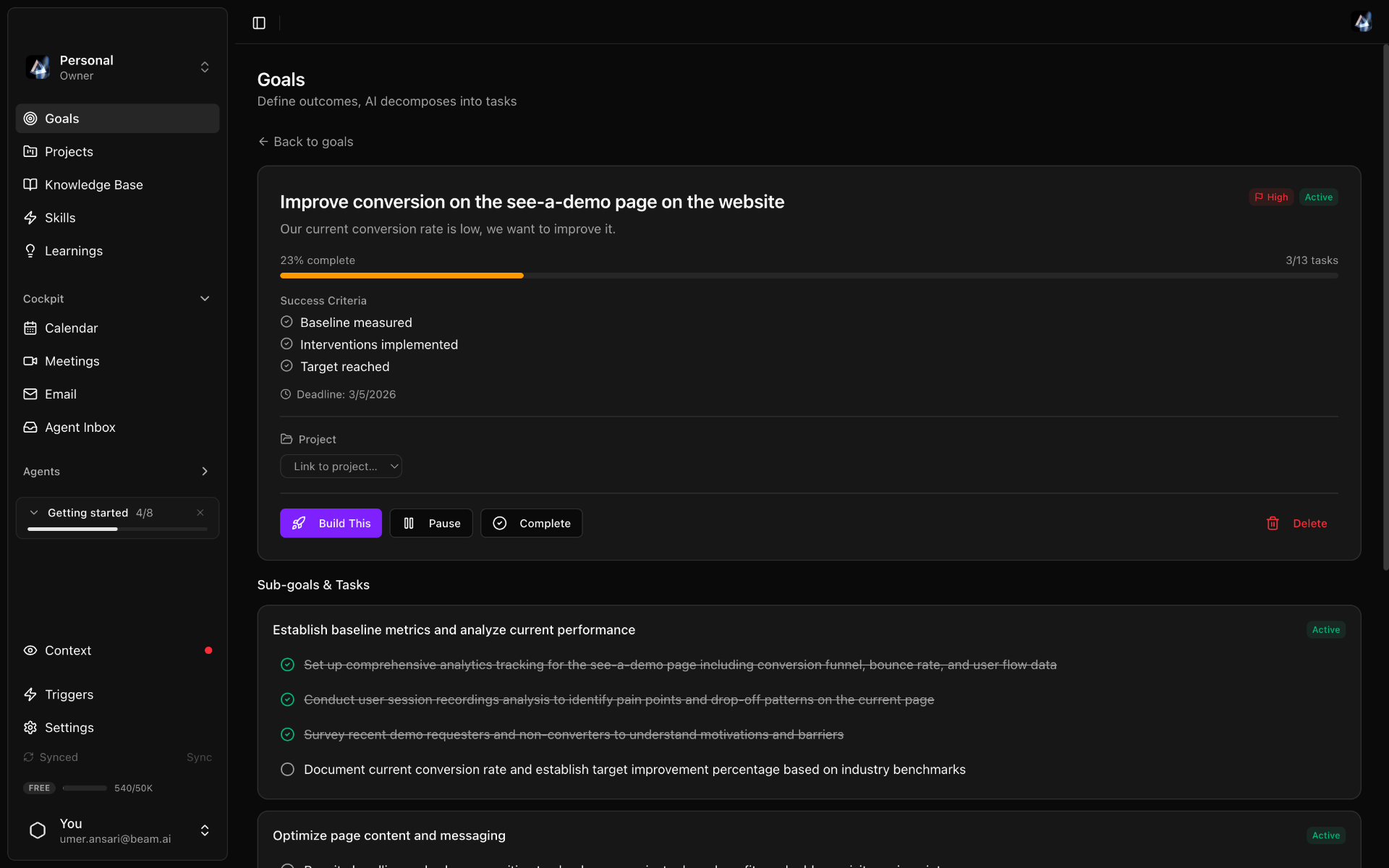
Goals that stay alive
Prism decomposes an outcome into concrete work, keeps owners and dependencies visible, and brings decisions back to you at the right moment.
A virtual board for real decisions
The Board assembles expert perspectives around a decision and grounds the conversation in the documents and meeting context you choose.
Start before you download
Create your account, tell Prism what you want off your plate, and review the starting point it prepares. When you open the Mac app, your context is already there.
What should Prism take
off your plate?
Keep customer feedback moving into product decisions, and prepare the follow-ups after every leadership meeting.
Prism will ask before external actionsBuilt around your control
Prism shows what it knows, where context came from, and what it plans to do next. Drafts, approvals, and explicit source access keep you in charge.
A clearer way to work
Set up your account online, then continue with Prism on Mac.